pygeoops.centerline#
- pygeoops.centerline(geometry, densify_distance: float = -1, min_branch_length: float = -1, simplifytolerance: float = -0.25, extend: bool = False) BaseGeometry | NDArray[BaseGeometry] | GeoSeries | None#
Calculates an approximated centerline for a polygon.
Negative values for the algorithm parameters will result in an automatic optimisation based on the average geometry width for each input geometry.
Alternative name: medial axis.
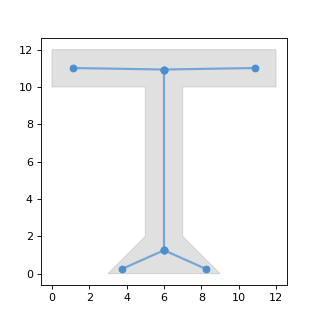
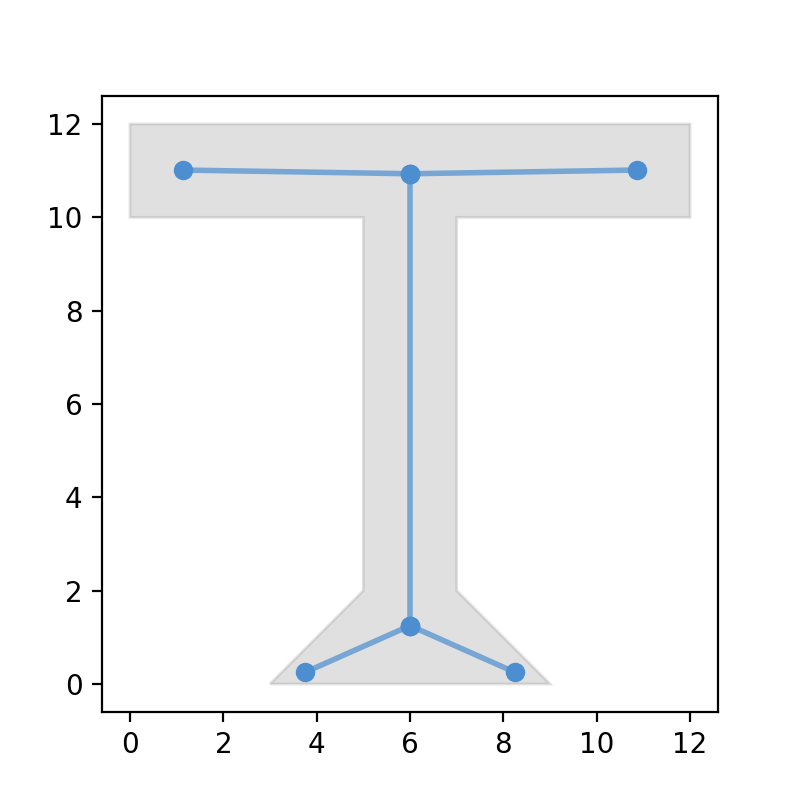
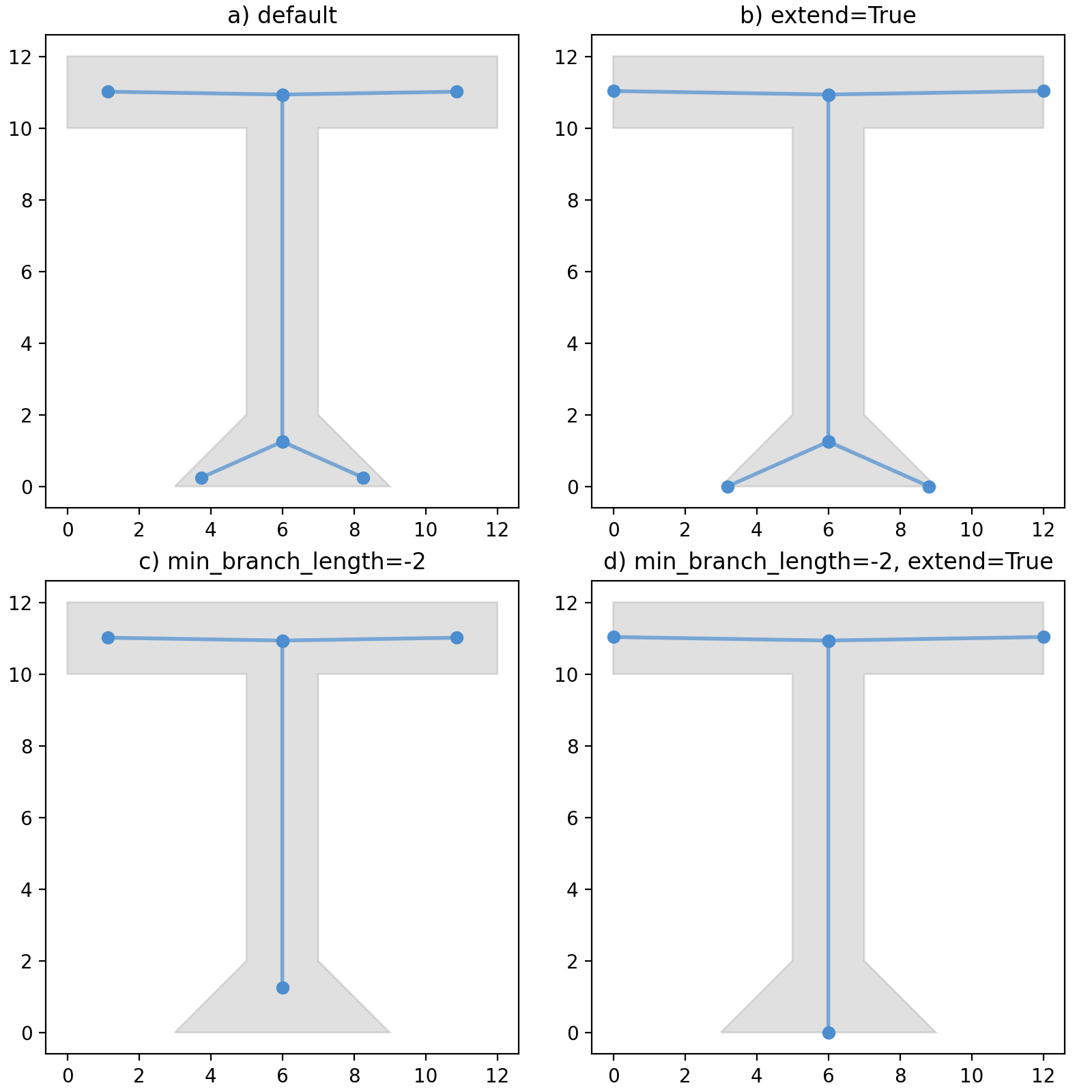
Example output with default parameters (grey: original polygon, blue: centerline):
(
Source code,png,hires.png,pdf)
- Parameters:
geometry (geometry, GeoSeries or arraylike) – a geometry, GeoSeries or arraylike.
densify_distance (float, optional) –
densify input geometry so each segment has maximum this length. A reasonable value is the typical minimal width of the input geometries. If a larger value is used centerlines might have holes on narrow places in the input geometry. The smaller the value choosen, the longer the processing will take. Defaults to -1.
value = 0: no densification
value > 0: densify using this value
value < 0: densify_distance = average width of geometry * abs(value)
min_branch_length (float, optional) –
minimum length for branches of the main centerline. Defaults to -1.
value = 0: no branch filtering
value > 0: filter branches shorter than this value
value < 0: min_branch_length = average width of geometry * abs(value)
simplifytolerance (float, optional) –
tolerance to simplify the resulting centerline (using Douglas-Peucker algoritm). Defaults to -0.25.
value = 0: no simplify
value > 0: simplify with this value as tolerance
value < 0: simplifytolerance = average width of geometry * abs(value)
extend (bool, optional) – extend the centerline to the edge of the geometry.
- Returns:
- the centerline for each of the input
geometries.
- Return type:
geometry, GeoSeries or array_like
Examples
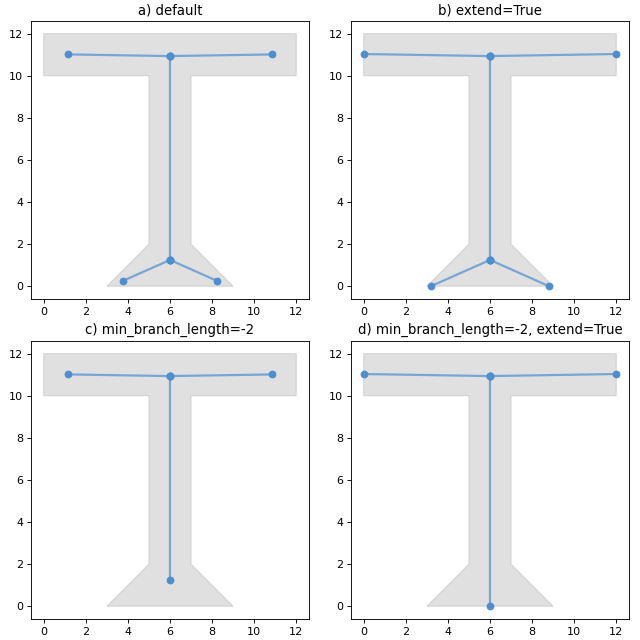
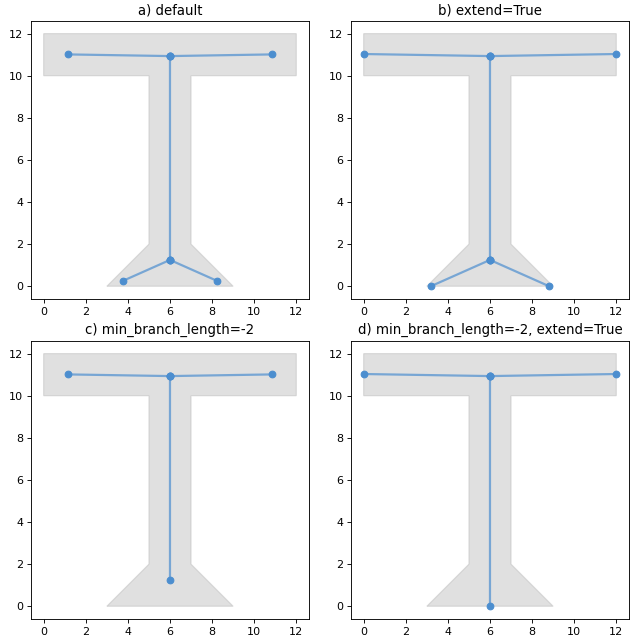
These are some more visualisation of centerlines calculated with some different options specified.
(
Source code,png,hires.png,pdf)